해당 카테고리 글들은 Unreal Engine 5 C++: 클라이밍 시스템 구축하기를 수강하고 공부한 내용을 정리한 글입니다.
강의 바로가기
2-1 정리한 블로그 글에 이어서 '두 번째 섹션 - 클라이밍 움직임' 강의 내용 중 중요하다고 생각한 부분만 정리한 글입니다. 자세한 내용은 강의에서 확인 가능합니다.
32. Ledge 탐지
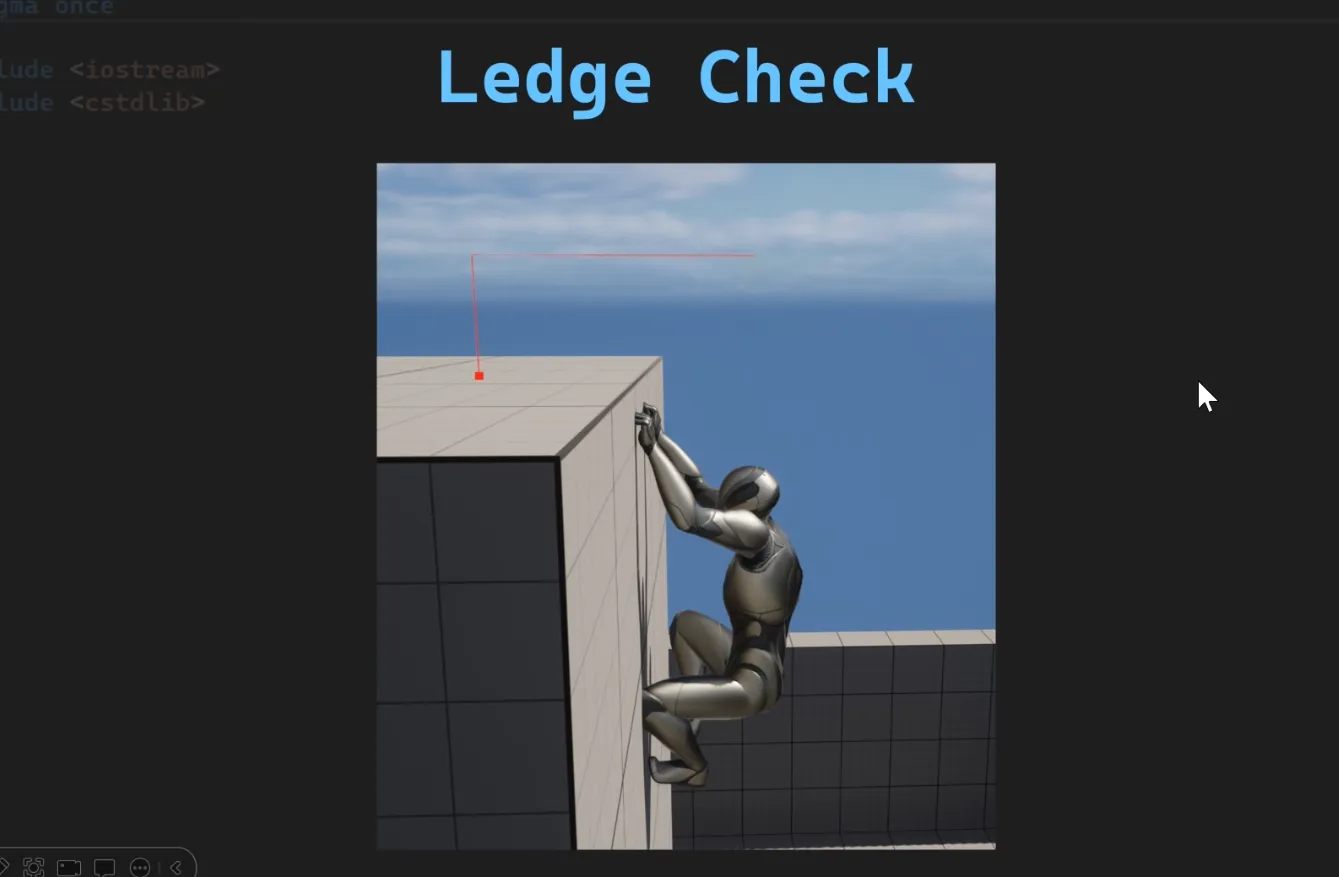
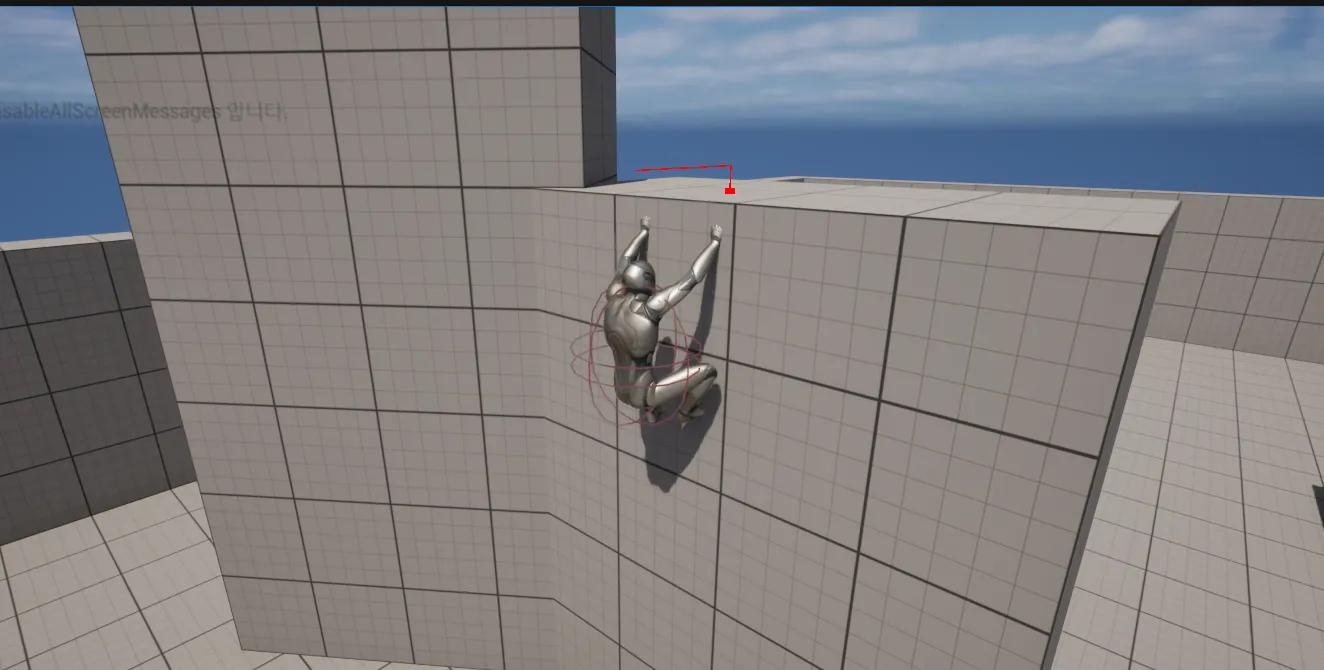
첫 번째 라인트레이스로는 오르막이 있는지 체크하고 만약 없으면, 두 번째 라인 트레이스를 그리는데 이는 걸을 수 있는 표면, 즉 꼭대기를 감지하는 데 사용됩니다.
bool UCustomMovementComponent::CheckHasReachedLedge()
 {
 	FHitResult LedgetHitResult = TraceFromEyeHeight(100.f,50.f);

 	if(!LedgetHitResult.bBlockingHit)
 	{
 		const FVector WalkableSurfaceTraceStart = LedgetHitResult.TraceEnd;

 		const FVector DownVector = -UpdatedComponent->GetUpVector();
 		const FVector WalkableSurfaceTraceEnd = WalkableSurfaceTraceStart + DownVector * 100.f;

 		FHitResult WalkabkeSurfaceHitResult =
 		DoLineTraceSingleByObject(WalkableSurfaceTraceStart,WalkableSurfaceTraceEnd,true);

 		if(WalkabkeSurfaceHitResult.bBlockingHit && GetUnrotatedClimbVelocity().Z > 10.f)
 		{
 			return true;
 		}
 	}

 	return false;
 }
33. Ledge 애니메이션 다운로드
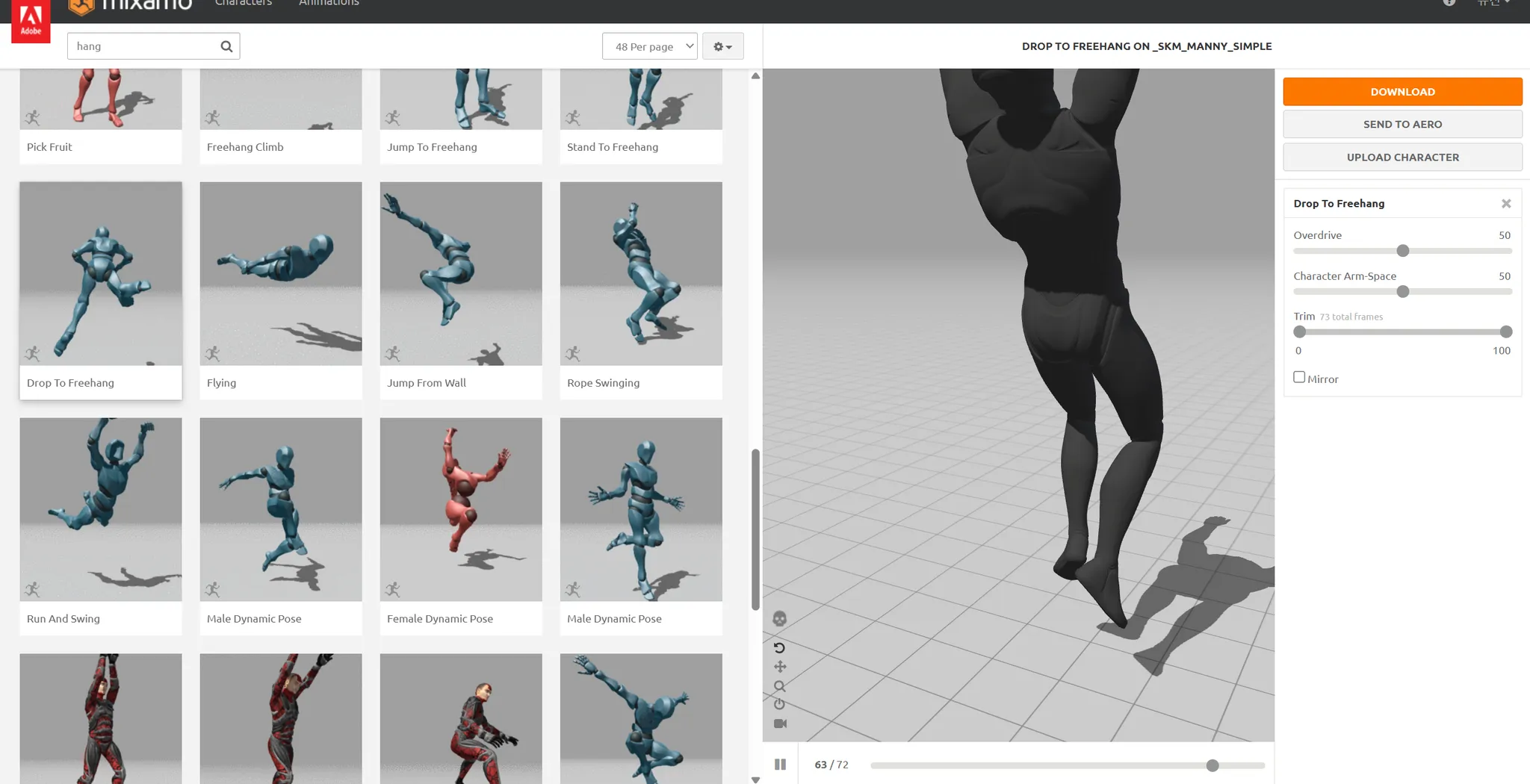

기존에 다운받은 다른 애니메이션들과 다르게 믹사모에서 루트 모션 관련 체크가 없어, 애니메이션을 확인해 보면 루트 모션이 제대로 되어있지 않습니다. 이를 해결하기 위해
34. 애니메이션을 위한 Control Rig
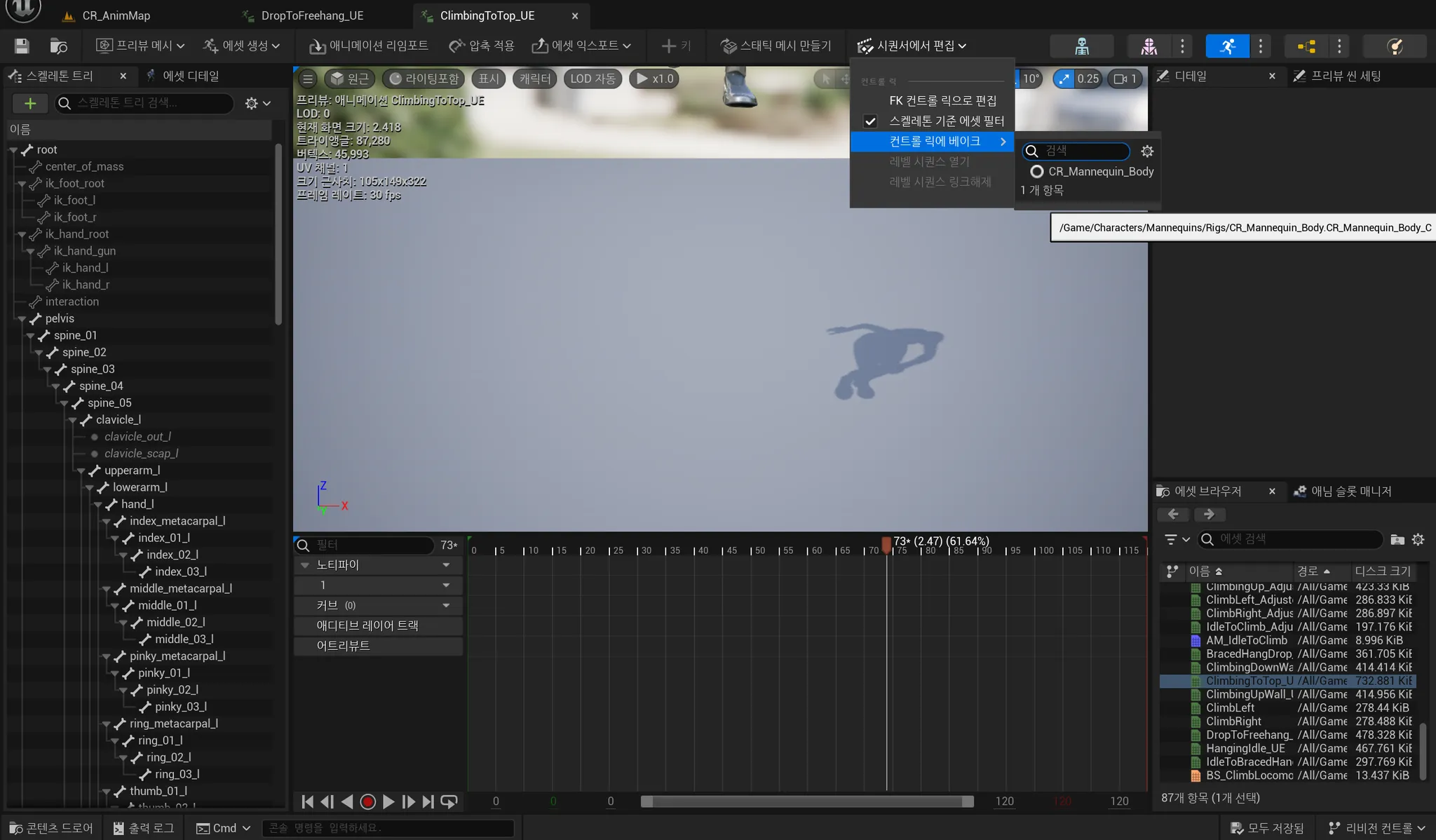

컨트롤 릭에 베이크를 클릭하면 아래와 같이 화면이 표시됩니다.
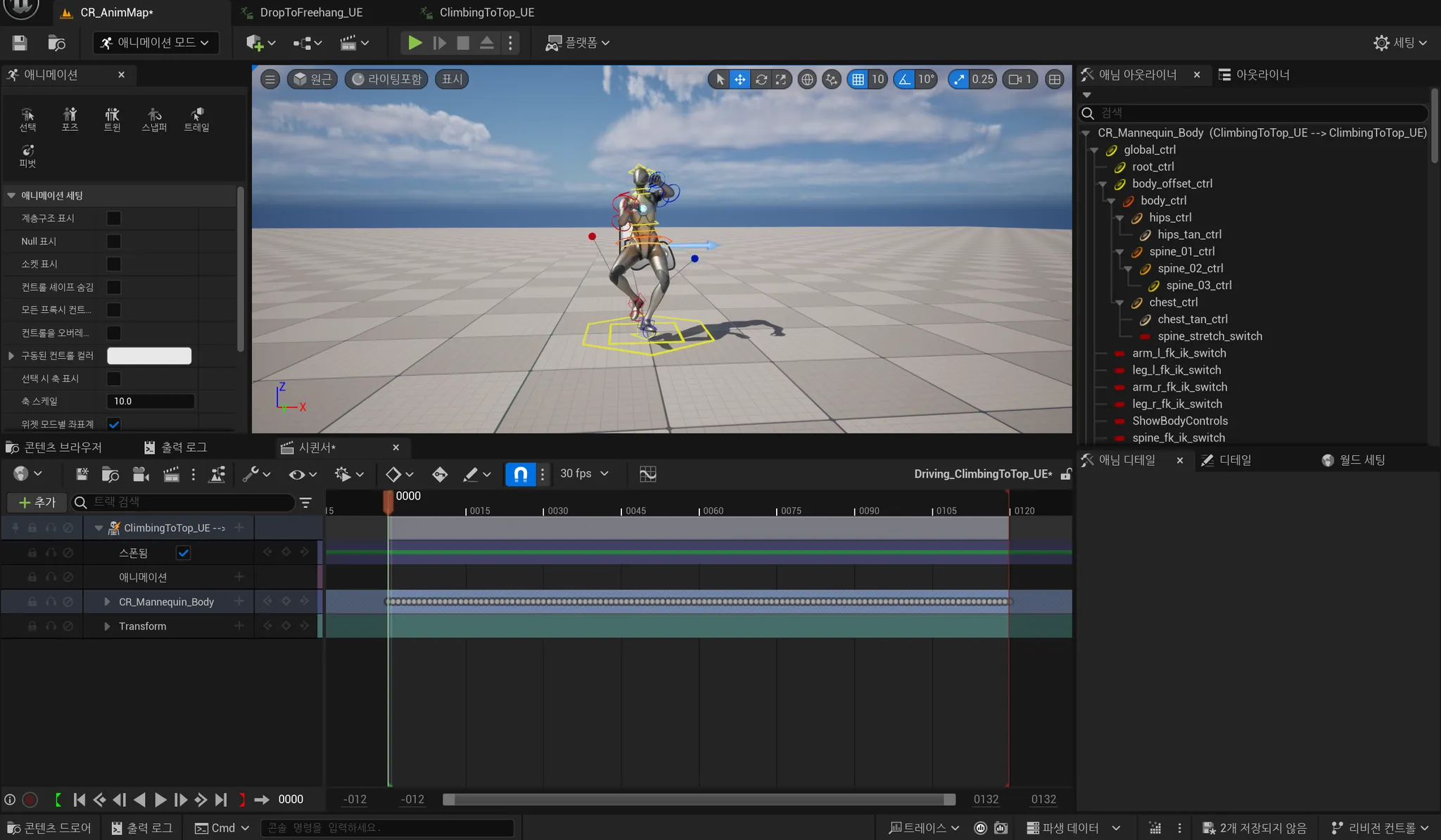
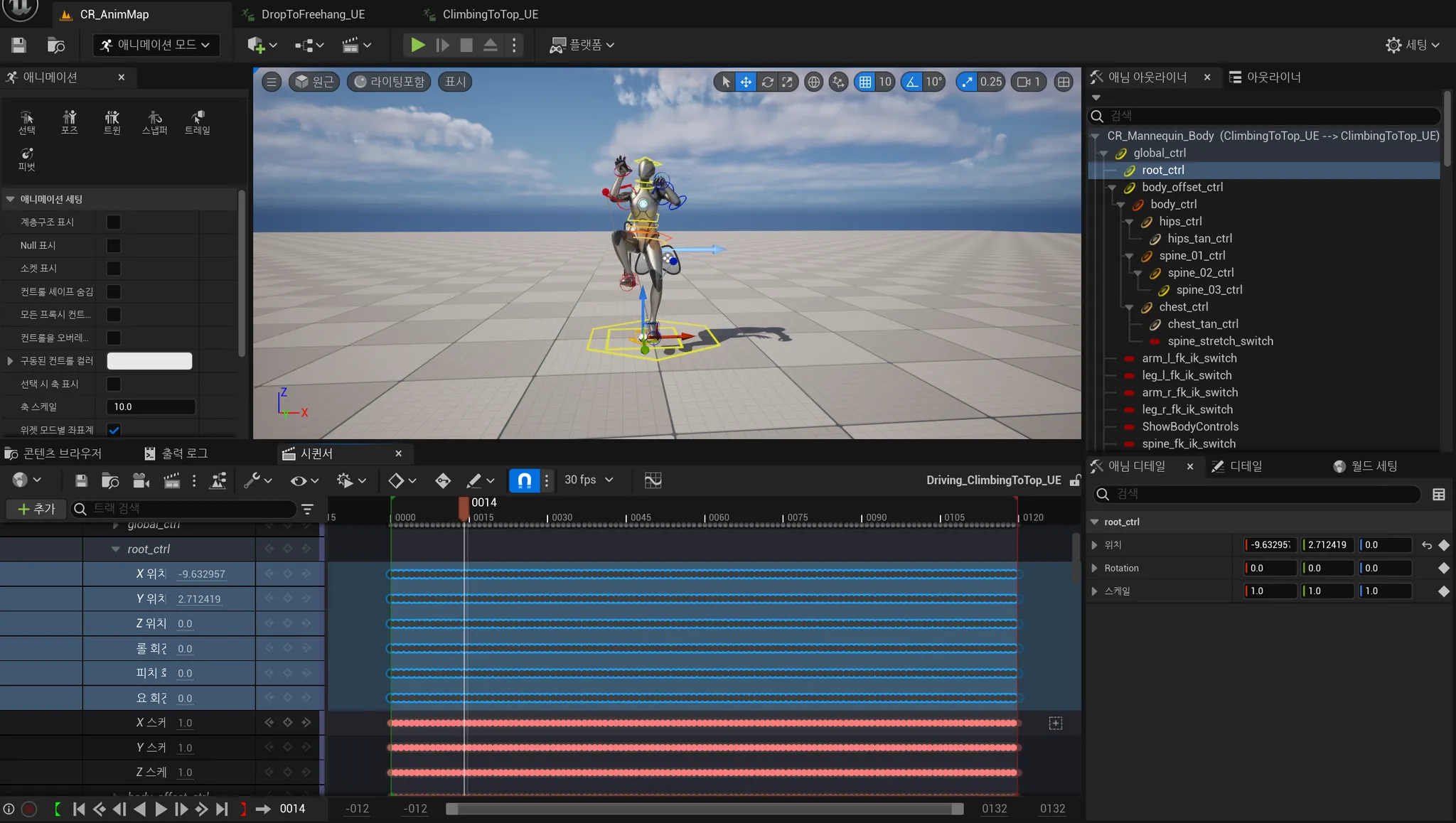
우리가 관심있는 부분은 root_ctrl으로 x위치부터 요 회전을 클릭해 모든 키를 삭제합니다.
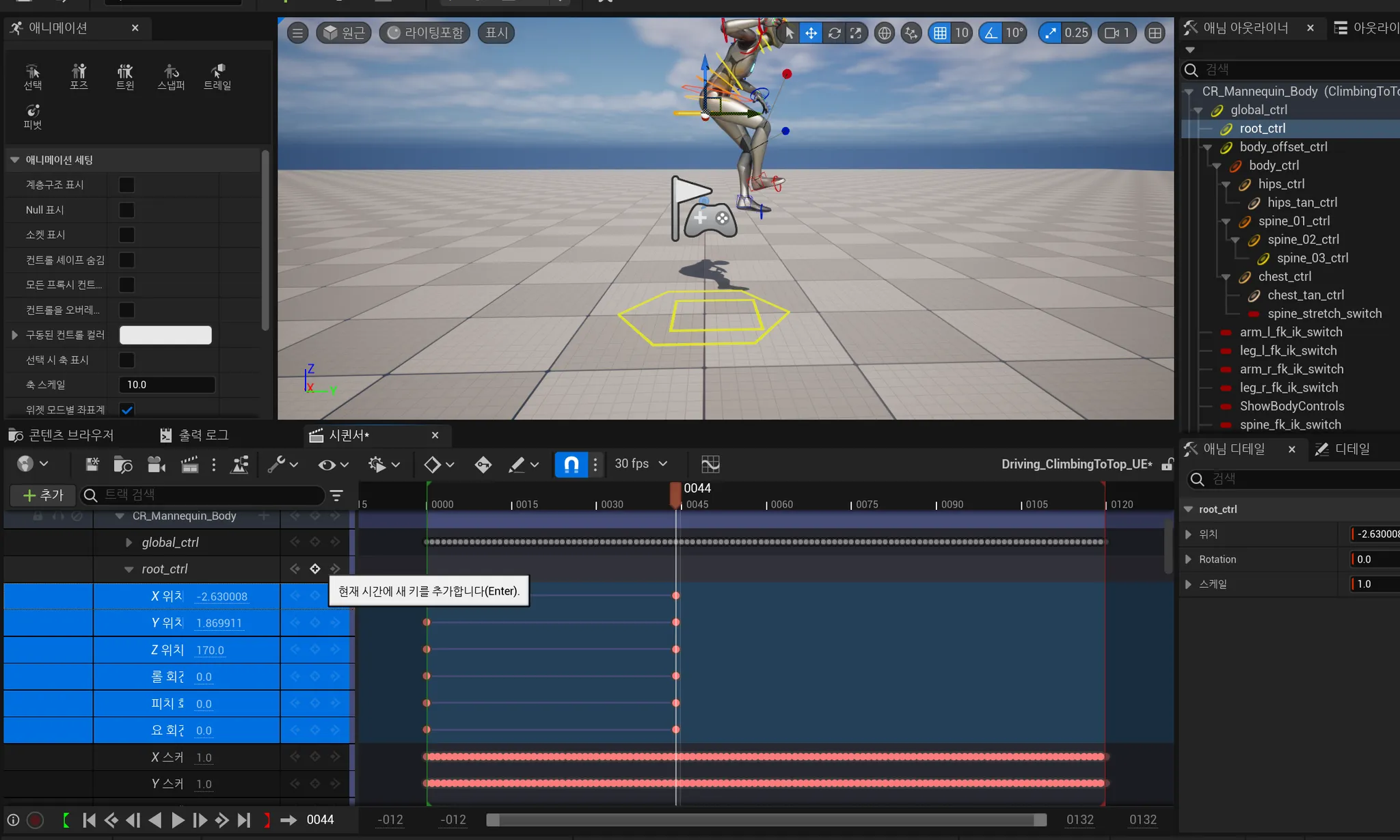
그다음 0프레임일때 키 추가를 누르고 44 프레임에 컨트롤을 엉덩이까지 올린 뒤에 키를 추가합니다.
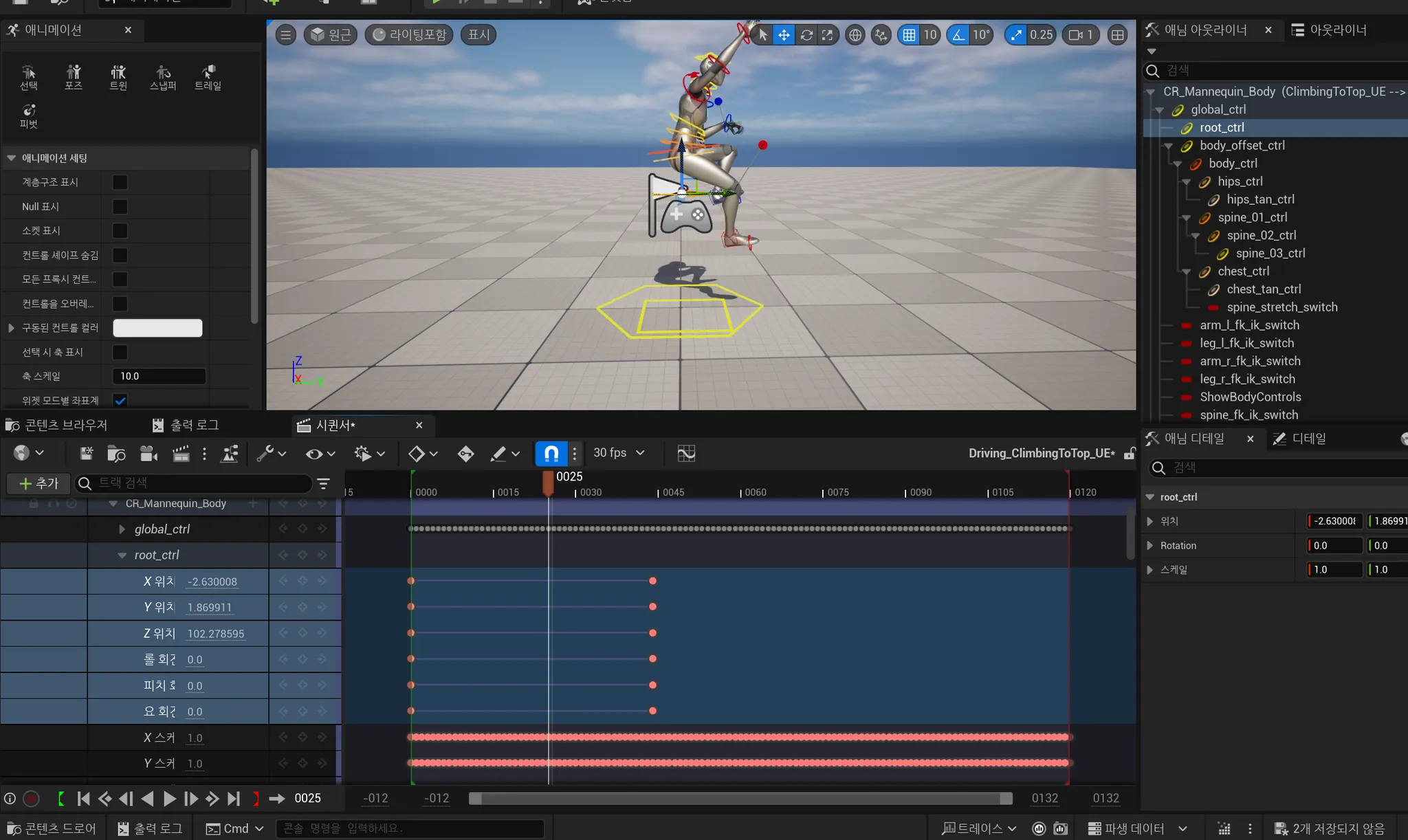
그 중간 프레임을 확인하면 컨트롤이 잘 움직이는 것을 볼 수 있습니다.
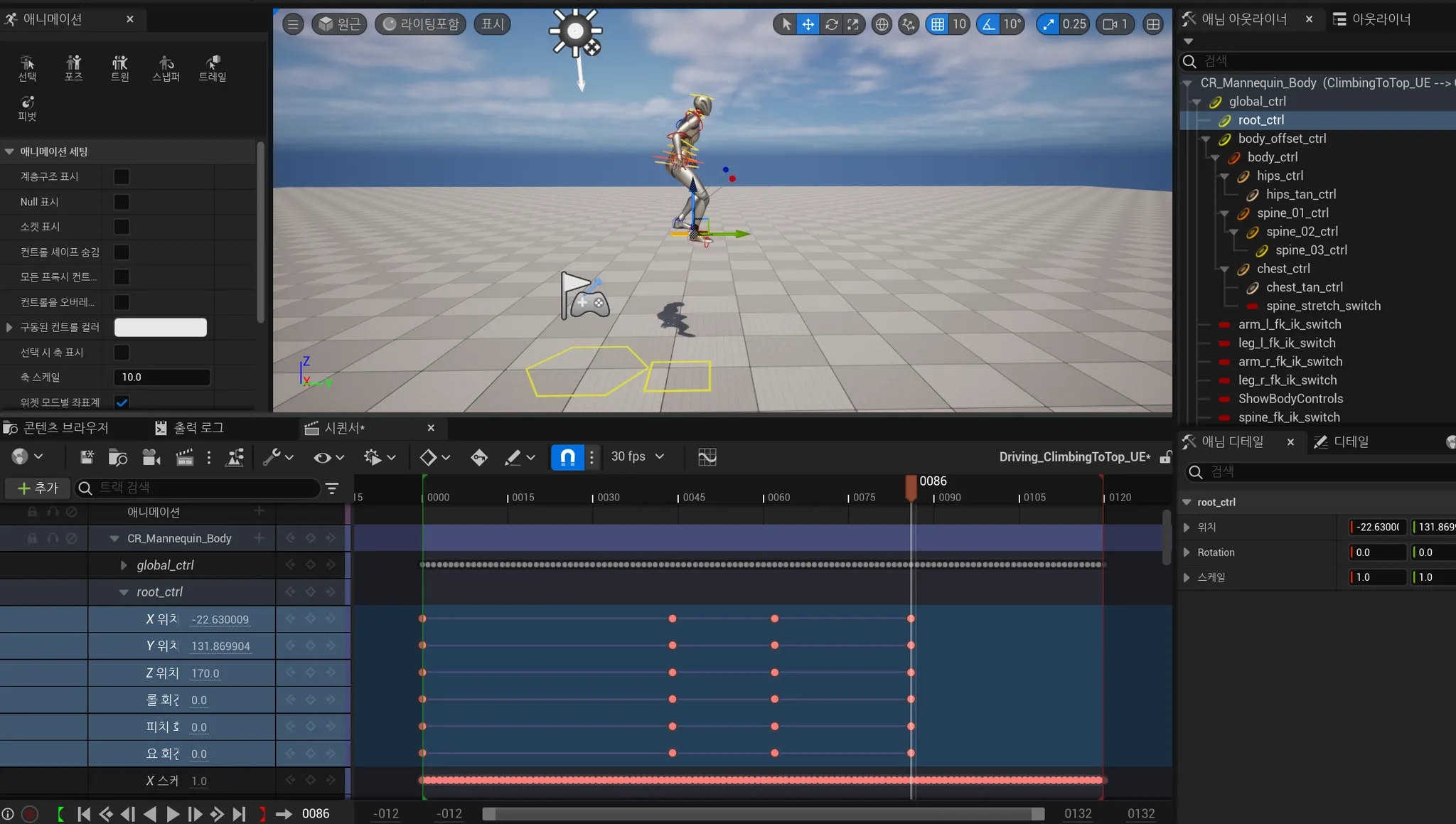
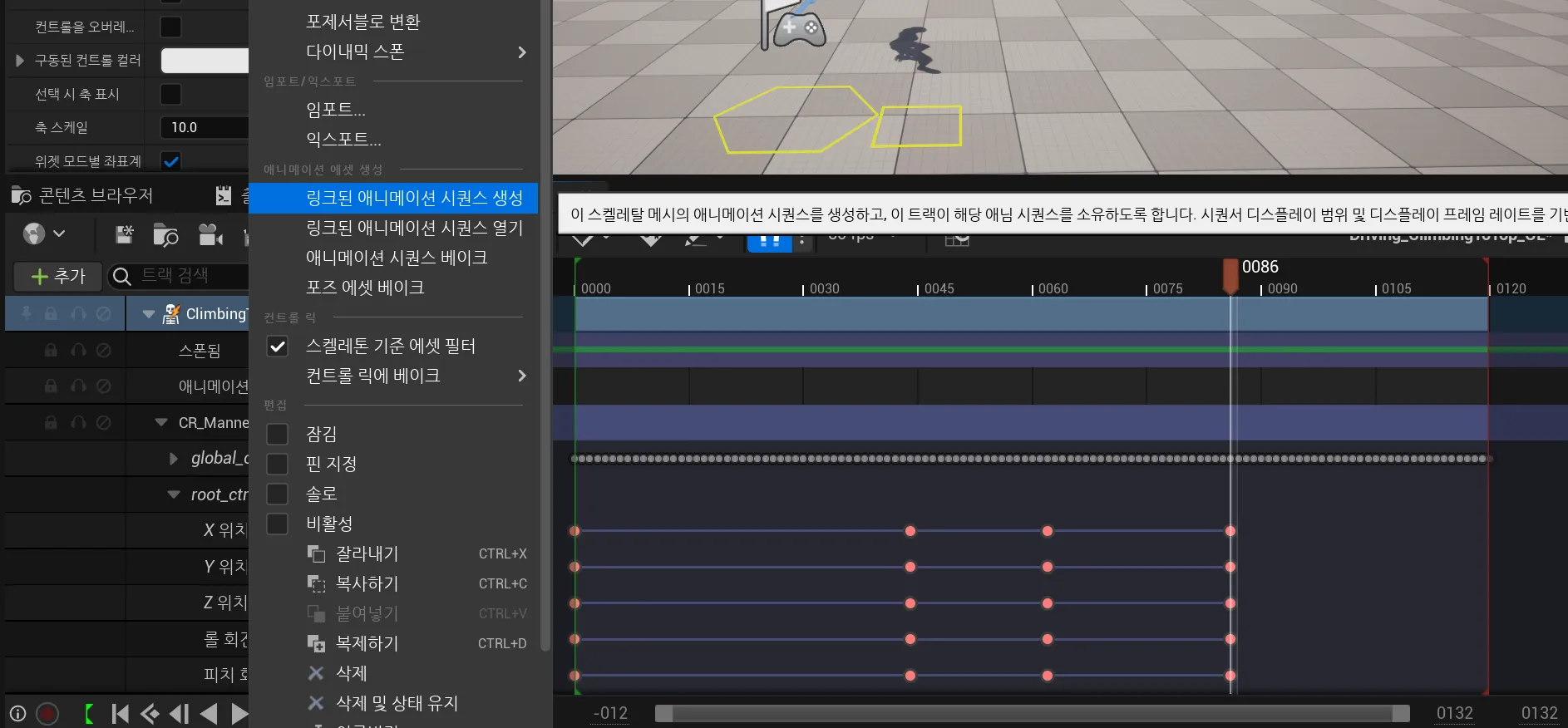
이런식으로 더 추가한 뒤 새 애니메이션 시퀀스를 만들 수 있습니다.
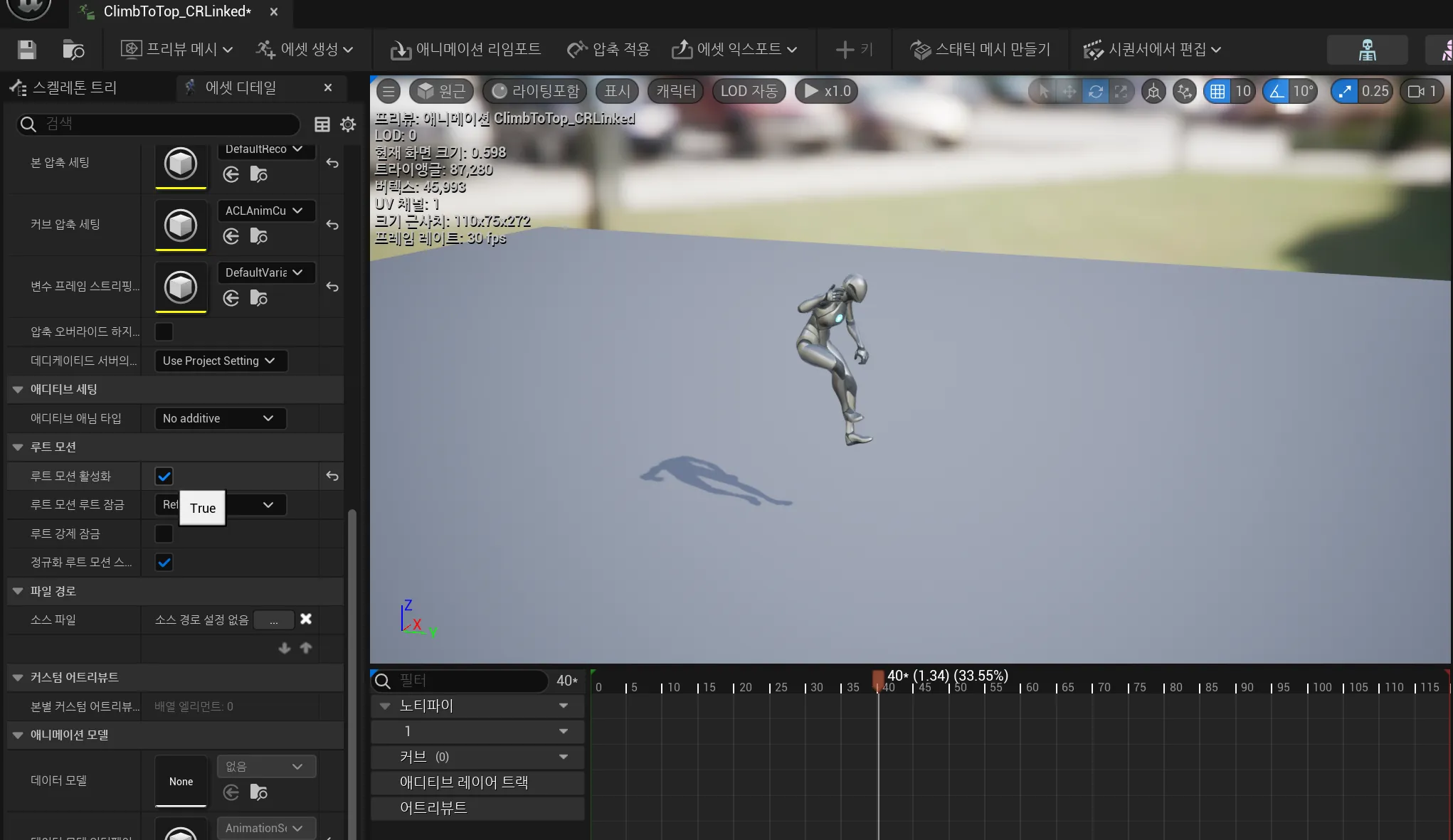
새로 만든 애니메이션에 루트 모션 활성화를 True로 적용시키면 됩니다.
35. Ledge 오르기
FVector UCustomMovementComponent::ConstrainAnimRootMotionVelocity(const FVector& RootMotionVelocity, const FVector& CurrentVelocity) const
{
	const bool bIsPlayingRMMontage =
	IsFalling() && OwningPlayerAnimInstance && OwningPlayerAnimInstance->IsAnyMontagePlaying();

	if (bIsPlayingRMMontage)
	{
		return RootMotionVelocity;
	}
	else
	{
		return Super::ConstrainAnimRootMotionVelocity(RootMotionVelocity, CurrentVelocity);
	}
}

void UCustomMovementComponent::PhysClimb(float deltaTime, int32 Iterations)
{
	...
		if(CheckHasReachedLedge())
	{
		PlayClimbMontage(ClimbToTopMontage);
	}
}

void UCustomMovementComponent::OnClimbMontageEnded(UAnimMontage* Montage, bool bInterrupted)
{
	if(Montage == IdleToClimbMontage)
	{
		StartClimbing();
	}
	else
	{
		SetMovementMode(MOVE_Walking);
	}
}
오르는 몽타주 끝나면 Walking 모드로 변경합니다.
36. 오른쪽 위치 수정

문제점 : 난간에 도달했을 때 오른손의 위치가 난간보다 높다

upperarm_r 클릭하고 0 프레임에서 새 키 추가합니다
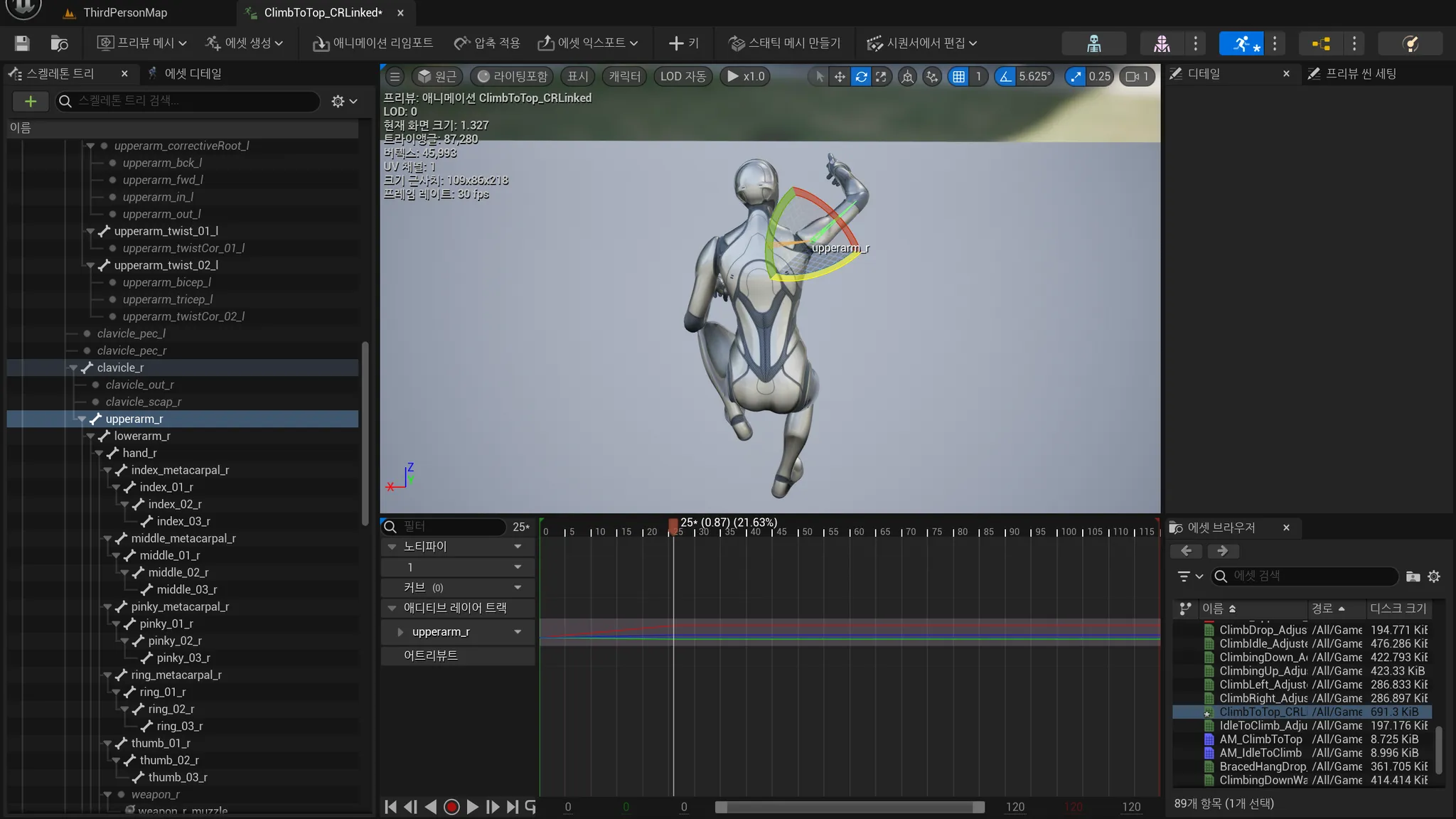
25프레임에서 각도 낮춘 다음에 새 키를 클릭하면 적용됩니다.
39. 아래로 내려갈 수 있는지 확인
bool UCustomMovementComponent::CanClimbDownLedge()
{
	if (IsFalling()) return false;

	const FVector ComponentLocation = UpdatedComponent->GetComponentLocation();
	const FVector ComponentForward = UpdatedComponent->GetForwardVector();
	const FVector DownVector = -UpdatedComponent->GetUpVector();

	const FVector WalkableSurfaceTraceStart = ComponentLocation + ComponentForward * ClimbDownWalkableSurfaceTraceOffset;
	const FVector WalkableSurfaceTraceEnd = WalkableSurfaceTraceStart + DownVector * 100.f;

	FHitResult WalkableSurfaceHit = DoLineTraceSingleByObject(WalkableSurfaceTraceStart, WalkableSurfaceTraceEnd, true);

	const FVector LedgeTraceStart = WalkableSurfaceHit.TraceStart + ComponentForward * ClimbDownLedgeTraceOffset;
	const FVector LedgeTraceEnd = LedgeTraceStart + DownVector * 300.f;

	FHitResult LedgeTraceHit = DoLineTraceSingleByObject(LedgeTraceStart, LedgeTraceEnd, true);

	if (WalkableSurfaceHit.bBlockingHit && !LedgeTraceHit.bBlockingHit)
	{
		return true;
	}

	return false;
}
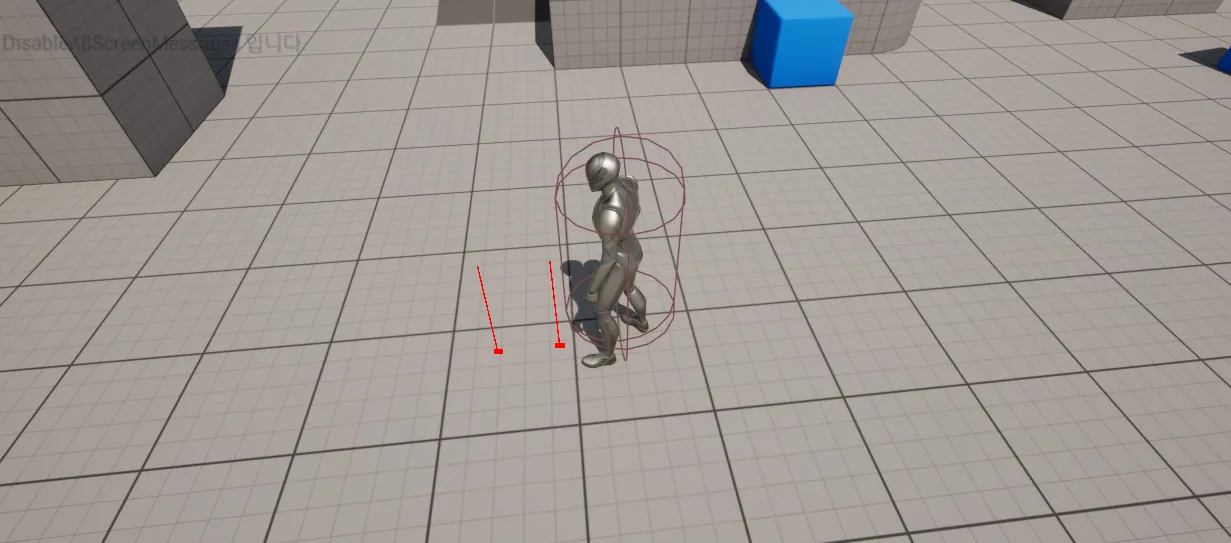
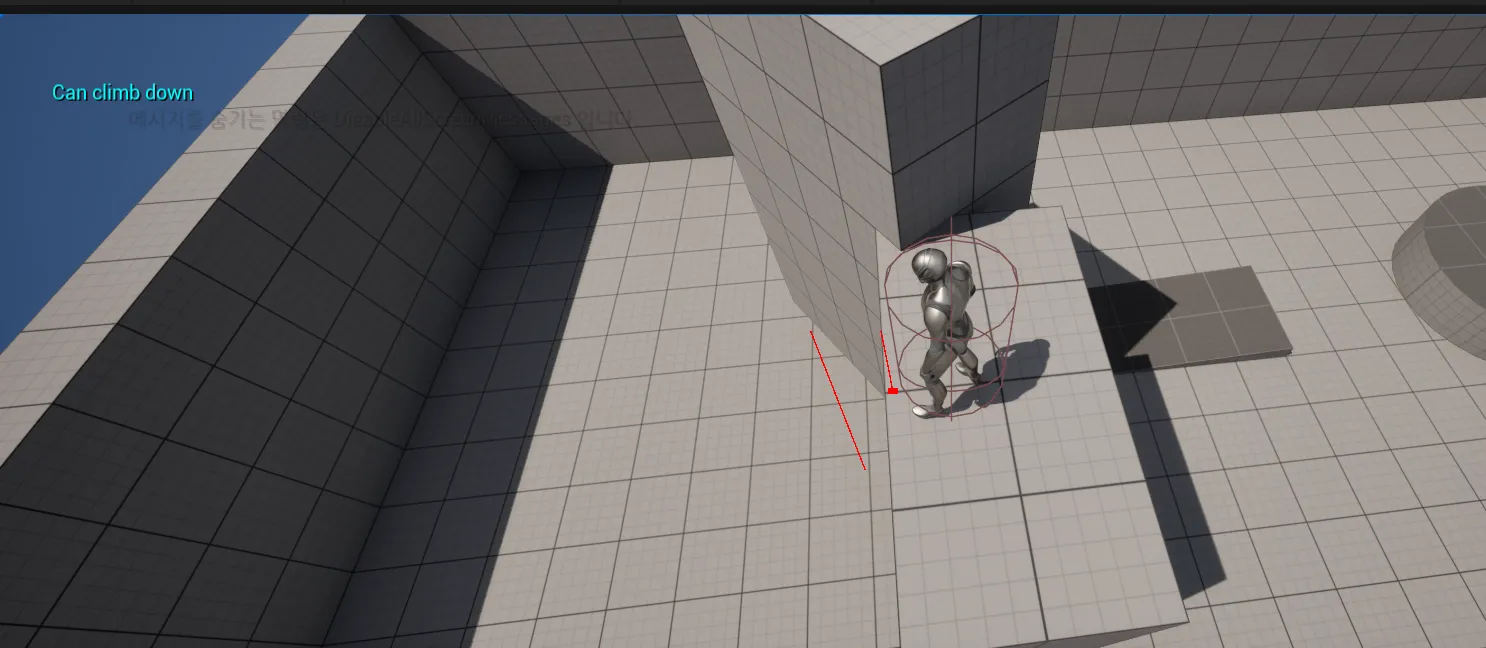
두 번째 라인트레이스가 hit 하지 않으면 아래로 내려갈 수 있는 상태
41. Ledge 내려가기
void UCustomMovementComponent::ToggleClimbing(bool bEnableClimb)
{
	if(bEnableClimb)
	{
		if(CanStartClimbing())
		{
			PlayClimbMontage(IdleToClimbMontage);
		}
		else if (CanClimbDownLedge())
		{
			PlayClimbMontage(ClimbDownLedgeMontage);
		}
	}
	else
	{
		//Stop climbing
		StopClimbing();
	}
}

void UCustomMovementComponent::OnClimbMontageEnded(UAnimMontage* Montage, bool bInterrupted)
{
	if (Montage == IdleToClimbMontage || Montage == ClimbDownLedgeMontage)
	{
		StartClimbing();
		StopMovementImmediately();
	}

	if (Montage == ClimbToTopMontage)
	{
		SetMovementMode(MOVE_Walking);
	}
}
이제 난간에 정확하게 손을 놓는 것을 확인할 수 있습니다.
[두 번째 섹션 - 클라이밍 움직임 ] 구현 결과 영상입니다.
애니메이션들은 잘 나오지만 살짝 어색한 부분들도 있고 벽과 손의 거리가 꽤 있는 것을 보실 수 있습니다. 관련 해결하는 내용은 다음 블로그에 정리하겠습니다.
'강의 > UE Climbing System' 카테고리의 다른 글
| [UE Climbing] 2-1. Climbing Animation (0) | 2025.04.14 |
|---|---|
| [UE Climbing] 1. Climbing Movement (0) | 2025.03.28 |